Friday, 21 April 2017

Http Callout from Java Script | Rest Callout from Visual Force Page without Apex Class


Sample Code 1:- 

<apex:page>
    <script src="https://code.jquery.com/jquery-2.2.4.min.js" integrity="sha256-BbhdlvQf/xTY9gja0Dq3HiwQF8LaCRTXxZKRutelT44="  crossorigin="anonymous"></script>
    
    <script>
    
        function Callout()
        {
            var JSONResponse = '';
            var JsonBody = '';
            JsonBody = '{Request Body}';
            console.log('--JsonBody ------->'+JsonBody );
            
            var xhr = new XMLHttpRequest();
            xhr.open("POST", "END_POINT_URL", true);
            <!-- xhr.setRequestHeader("Authorization","Bearer {!AccessToken}" ); -->
            xhr.setRequestHeader("Content-type", "application/json;charset=UTF-8");
            xhr.setRequestHeader("Accept", "application/json");
            xhr.onload = function () 
            {
                JSONResponse = xhr.responseText;
                console.log('--JSONResponse ------->'+xhr.responseText);
            };
            xhr.send(JsonBody);
            setTimeout( function()
                {
                    if(xhr.status == 404){                     
                    }
                    else if(xhr.status == 401){
                    }
                    else if(xhr.status == 500){
                    }
                    else if(xhr.status == 200)
                    {
                        obj1 = JSON.parse(JSONResponse );
                        for(var x=0;x< obj1.length;x++)
                        {
                            var singleEle = obj1[x];
                            console.log('--singleEle ------->'+singleEle );
                        }
                    }
                },
            2000);
        }
        
    </script>   
    
    <apex:form>
        <apex:pageBlock>
             <apex:pageBlockButtons location="Top">
                <button type="button" onclick="Callout();" style="height:22px; width:150px" > 
     Make Callout 
                </button>
             </apex:pageBlockButtons>
        </apex:pageBlock>
    </apex:form>
    
</apex:page>

Sample Code 2:-

<html ng-app="demo">
 <script src="https://ajax.googleapis.com/ajax/libs/angularjs/1.4.3/angular.min.js"></script>
 <script>
 
  angular.module('demo', [])
  .controller('Hello', function($scope, $http) 
  {
   var req = {
     method: 'GET',
     url: 'END_POINT_URL',
     headers: {
       'Content-Type': 'application/json',
       'accept':'application/json',
       'authorization':'Bearer TOKEN_VALUE'
     },
     body:{'test body'}
   };

   $http(req).then(function(response) {
      $scope.greeting = response.data;
     });
   
  });
 </script>

 <body>
  <div ng-controller="Hello">
   <p>Content is {{greeting}}</p>
  </div>
 </body>
</html>

You May get below error
Cross-Origin Request Blocked: The Same Origin Policy disallows reading the remote resource at END_POINT_URL. (Reason: CORS header 'Access-Control-Allow-Origin' missing).

Solution :- To resolve the issue you need to request external system to add Salesforce Base URL in CORS

https://zinoui.com/blog/cross-domain-ajax-request
http://www.toppctech.com/best-fix-ssl_error_weak_server_ephemeral_dh_key-error/


Thanks
Amit Chaudhary

Sunday, 16 April 2017

Success Story of :- Fabrice Cathala


Welcome to my 9th Salesforce Success Story series. This series is focused on success story and to inspire/encourage new user/Developer. And why we should join our local Salesforce Developer/User group.


1) Your Job Title
Senior Salesforce Solution Architect

2) Your success Story    
I started my career in the world of data centres in 1994 and took the risk to change my path to CRM implementations in 2001. In 2005, I discovered cloud computing when deploying Salesforce at Symantec. Only then I realised that my career change had paid off.
I moved from a highly technical job (working at the operating system level) to a mix of technology and business (CRM). Salesforce fulfils the geek in me as much as giving me the satisfaction of delivering business solutions to happy customers. I could have stayed monitoring networks and controlling IT systems performance forever, but I follow my gut feeling, stick with it for five years before getting rewarded.
In March 2017 I was honoured to be awarded the title of Salesforce MVP joining a crowd of highly talented individuals.

Build your career path, believe in yourself and keep learning.   


3) Why we Should Join a Salesforce User/Developer Group

User groups are a great way to learn new Salesforce related topics that you may not need for your current project but will position you as "the expert" in your next project.
The ambience in the Salesforce #ohana events is always warm and welcoming. Networking becomes fun! After a little while,  attending a Salesforce meetup will turn into an excellent way to meet your friends from the ecosystem, chill-out still learns new Salesforce tricks.
I'm a co-organizer of the Thames Valley DUG in the UK, and I can tell you that we do spend quite a lot of time and energy hunting for the best speakers and researching which hot topics we should propose to our audience. 

Now, there's one user group in particular that I'd like to put under the spotlight and it's "Women In Tech" (#WIT). In most cases, these groups are welcoming men, and I'm begging you, if you're a man, please attend at least a couple of WIT meetup this year. It's going to open your mind to an old problem which now needs an urgent solution. I believe that men need to be part of the solution to unlocking STEM careers for women. Please attend WIT meetup and show your support for a start. Then try and figure out how you can help.


4) Advice for new Salesforce Developer

If the only tool you have is a hammer, it is tempting to treat everything as a nail. But you shouldn't. Although it's fun to code, your responsibility is to provide an enterprise-class solution to all business problems thrown at you. The most robust tool is not code but standard (declarative) features: they have been tested for years and are supported by Salesforce. Your code will always be less resilient than out-of-the-box capabilities.

For this reason, always think declarative first and programmatic second.  

5) Trailhead badges
105. I'm a ranger since last December; the #100club was one of my goals for 2016. I've slowed down since (only five badges in three months) but will restart soon at a more steady pace.
Follow Fabrice Cathala on:
Twitter :
@fcathala

If you want to share your Salesforce Success Story, Please feel free to drop me an email :- amit.salesforce21@gmail.com 


<<PREVIOUS       NEXT>>


Thanks
Amit Chaudhary
@amit_sfdc

Sunday, 9 April 2017

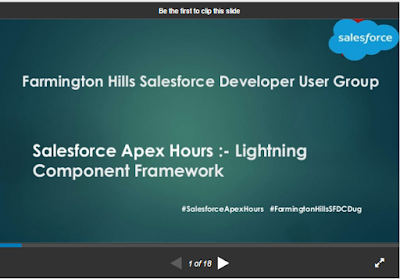
Salesforce Apex Hours:- Lightning Component Framework


Farmington Hill Salesforce Developer group / Salesforce Apex Hours organized another successful Online session/event on 8th April 2017, focusing on "Lightning Component Framework".

First of All I would like to thank to "Mohith Shrivastava" for great session and demo on "Lightning Component Framework".

Agenda :-
  • Introduction To Lightning Components
  • Difference between Lightning Components and Visualforce
  • Thinking in terms of Component Model
  • Basics of Lightning - Inside Bundle
  • Events - Discuss Application and Component Events

Speaker :- Mohith Shrivastava, Salesforce MVP.
Date :- Saturday, April 8, 2017 11:00 AM EST
Venue/Link :- Online on Goto meeting

PPT:- 

https://www.slideshare.net/AmitChaudhary112/salesforce-apex-hours-introduction-to-lightning-components


Some Useful link for "Lightning Component Framework" 

Code Reference 


Please follow us on below pages/link for future session :-


Thanks,
Amit Chaudhary
@amit_sfdc


Saturday, 1 April 2017

Success Story of :- Jean-Michel Mougeolle

Welcome to my 8th Salesforce Success Story series. This series is focused on success story and to inspire/encourage new user/Developer. And why we should join our local Salesforce Developer/User group.


1) Your Job Title

[JMM] :- SharinPix CEO, French Touch Dreamin founder, Salesforce MVP, Paris User Group Leader

2) Your success Story   
 

[JMM ] :- I started as a developer in many startups several years ago, then moved as CIO of a company which had to redraw his IT system. We made this based on Salesforce and that’s where i started this great adventure.
Doing this in the second company i joined as CIO, we started to work on an internal App to manage images within Salesforce. We found out that it was a great product idea with no-one doing great job around this on the AppExchange.
That’s where we decided to create SharinPix and i started to lead this company.
At the same time, i was honored to be choosen as the very first French MVP.

Now i’m participating to many Dreamin event all around the world, talk at many of those as well and love the spirit of the community you can find there !

3) Why we Should Join a Salesforce User/Developer Group

 
[JMM ] :- Networking ! You’ll be able to learn from the technical point of view, of course, but you will meet awesome people that could give you great example of what they’ve achieved. Salesforce is full of Gems that you can easily miss because you didn’t thought on using it this way.
The UG and DUG are the best place to learn from this and finally learn how to make more with this fantastic plateform.

4) Advice for new Salesforce Developer
 
[JMM ] :- Learn a lot around Lightning Components, it’s a game changing there, i’m sure it will be really big in the next years and developers that i’ve work on this will be at a very exciting place !


5) Trailhead badges
 
[JMM ] :- I’m not a 100 Badger’s club member but i think that could happen one day… I’m convinced that Trailhead is key for everyone in the salesforce ecosystem and i’m trying my best to save time on my other duty to learn more there. Anyway, as a CEO it’s not always that easy to do so. Just wishing it will come soon with a better smartphone support, but i’ve heard that it could be the case shortly !


Follow Jean-Michel Mougeolle  on:
Twitter :
@jmmougeolle
 
If you want to share your Salesforce Success Story, Please feel free to drop me an email :- amit.salesforce21@gmail.com


<<PREVIOUS       NEXT>>


Thanks
Amit Chaudhary
@amit_sfdc

Wednesday, 8 March 2017

Success Story of : Vinay Chaturvedi


Welcome to my 7th Salesforce Success Story series. This series is focused on success story and to inspire/encourage new user/Developer. And why we should join our local Salesforce Developer/User group.


 1) Your Job Title.

[Vinay Chaturvedi]
:- Working as a Principal Consultant with Dazeworks,


2) Your success Story. 

 
[Vinay Chaturvedi] :-  I am an Electrical Engineer by education but was very passionate about the Software Industry, that’s the reason why an Electrical engineer took the most critical decision once that was a life changing event for me. I take pride in saying this and saying this again "Salesforce=Successful me", today, everything I do, everything I talk, its Salesforce everywhere. I am Loving & Living Salesforce since 2011, working as a Principal Consultant and have been through every phase of career as a Consultant / Developer / Geek / Evangelist. I have been awarded as a Salesforce MVP in 2016. I am also leading Salesforce User/Developer Groups here in Noida, India. I Leads Salesforce User Group Leaders Office Hours Call for APAC Region.[#SFUGLOH]. I love contributing to Success Community and proud that he has answered more than 4.5K answers check those out here: SalesforceAnswerCommunity. I started blogging in 2014 and have worked on various awesome blog series such as Learn Salesforce Lightning with Examples, Formulas series, Reports series, AppExchange App review series, Learn Regex in Salesforce with Examples, you can check all here on my website: www.vinaychaturvedi.com. ( Amit :- He is hero in Noida :) )


3) Why we should join a Salesforce User / Developer Groups.

 
[Vinay Chaturvedi] :-     A chance to Network with the fellow Trailblazers: - Salesforce brings you this amazing opportunity to network and interact with the awesome Salesforce community around the globe and to network with the fellow trailblazers and a chance to grow together that makes up to the strongest community and Salesforce-Ohana.
    Knowledge Sharing:- Knowledge Sharing and Knowledge Exchange is the biggest advantage one gets attending the Group Meetups, that's your chance to grow and learn. One also gets helped in setting the future roadmaps looking over and listening to success stories coming from the community that inspires us to be the best. 
    Fun Activities:- If you've never been or attended the local User/Developer group Meetup/Events before, don't miss to be here Learning with fun, for me leading the group and making arrangements for every meetup is one of the things I love the most as it helps me be the best. Planning for the Events by collecting feedbacks from the members helps me to add more value and maintaining uniqueness of the Group events lead by me.
    Every member gets a chance to shine, share knowledge, to present before others, speak before large gathering and skill improvement are added on advantages and this provides everyone, a chance to get recognized by all.


4) Advice for new Salesforce Developer.

 
 [Vinay Chaturvedi] :- Success is something which takes efforts, its earned with time, the only way is hard work and consistency. Kick-Off with Trailhead- The fun way to learn, that brings you everything that helps you grow better and smoother. Join the Local User/Developer group and keep aligned with the awesome Salesforce Community to explore the possibilities to grow & enhance your learning. Your successful career is just a step away, followed by Success all around. Wish you all the best.


5) I am a proud Trailblazer:-

 
[Vinay Chaturvedi]:- Mission 150-Badges accomplished, I'm a Ranger! It's so pleasure being here every time as this is my favorite pastime, this is one stop shop for getting everything around Salesforce, something I never miss  on : are the release related badges that keeps me updated about all new functionalities added to Salesforce platform. (Amit :- wow :) )


Follow Vinay on:
Twitter : 
@VINAY_SFDC


If you want to share your Salesforce Success Story, Please feel free to drop me an email :- amit.salesforce21@gmail.com


<<PREVIOUS       NEXT>>


Thanks
Amit Chaudhary
@amit_sfdc

Wednesday, 1 March 2017

Success Story of : Eric Dreshfield


Welcome to my 6th Salesforce Success Story series. This series is focused on success story and to inspire/encourage new user/Developer. And why we should join our local Salesforce Developer/User group.

( Eric is one of the person who inspire me to write success story series )


1) Your Job Title: 

[Eric] Advocacy Manager @ Apttus; also Founder, Midwest Dreamin'; & Leader of the Southern Indiana Salesforce User Group

2) My Success Story:  


[Eric] Like most people in the Salesforce ecosystem, I didn't start my career there. I stumbled my way into that morphed into a business analyst helping a company implement the Service Cloud. That was my first exposure to Salesforce. My manager told me to find a user group to network and learn all I could, which set me on a 6 to 8 month journey of traveling 1 or 2 days a no 4th to attend user group meetings where ever I could find one, since my home town didn't have one. After hundreds of miles, I wondered if there were other in my town using Salesforce so I asked someone at Salesforce what it took to start a user group & her response was, "Congratulations, you just started one!" lol and behold there were others in my area using Salesforce and the group was a hit. Over time, I changed to a different local company that was getting ready to rollout the Sales Cloud and Veeva to its medical sales representatives. Then Dreamforce 2014 came and I saw a demo of X-Author for Excel by Apttus and my whole world changed. I fell in love with the tool instantly and decided that Apttus was the next place I wanted to work. It took almost 2 years to make that happen, to convince them that what I was offering would bring them value. Ultimately, Apttus created a role for me supporting X-Author for Excel from the marketing perspective. So...in short: of you can't find a job you want, find a company you want to be a part of and work to create the need for your talents there. You can read my full success story here: https://ericforcefield.wordpress.com/2016/01/18/jedi-job-change/. (Amit:- You are supper star of salesforce community )

3) Why we Should Join a Salesforce User/Developer Group:


[Eric] I say this all the time in my blog posts: For me, one of the greatest strengths of the Salesforce Community is it's people and the connections that are shared...and that's why you should join your local user, developer, women in tech or other group. The Community is the lifeline and support system for Salesforce users. Its an amazing place. You never know what questions you can get answered there, or who you will meet. At my first Dreamforce I had a random meeting at the breakfast table with a co-worker of my brother-in-law. I've also met future managers of mine through the Community in more than one occasion.

4) Advice for new Salesforce Developer:


[Eric] I'm stll what most would call an aspiring developer, so I may have a different perspective than others. Salesforce Developer skills are in high demand, so as someone new to it, my advice would be this: learn all you can through things like Trailhead, Pluralsight, SFDC99.com and other online resources. Make sure you practice in a free Developer org so your knowledge isn't just "book smarts." Try to find a nonprofit organization that needs some help with Salesforce and do are your time and skills to help move them forward. Once you have knowledge and some real world experience, go after the certifications that will help you move forward in the path you choose.

5) Trailhead badges: 


[Eric] I have a few...very few. I wish I had more time to be able to knock out more on a regular basis, but I tend to go to Trailhead when I encounter a specific need, that is, when I have a challenge to do that I know is possible, but I'm not certain how to accomplish it. Most likely there's a Trailhead module for it!

Follow Eric on:
Twitter :
@ericdresh
@Midwest_Dreamin
@sfdcug_SIndiana
@df_bacon_bfast 


Blog :- - http://ericforcefield.wordpress.com
http://xauthor.com/blog
 
If you want to share your Salesforce Success Story, Please feel free to drop me an email :- amit.salesforce21@gmail.com


<<PREVIOUS       NEXT>>


Thanks
Amit Chaudhary
@amit_sfdc

Monday, 27 February 2017

Pre-Chat form for Live Agent | Post Chat / Pre Chat Form in salesforce | Live Agent Tutorial

Pre-Chat Form in Live Agent

In live Chat this is very common to collect some information about customer like name ,email and phone number. Providing that information to agent before they connect with customer will increase the agent's productivity as they won't have to ask those questions manually. With the help of Pre-Chat Form we can collect the same information for agent prior to start the chat.

Please follow below step to setup the Pre -Chat Form in Live Agent.

Step 1) Setup the live Agent
Please check below post how to configure Live Agent

http://amitsalesforce.blogspot.com/2016/08/live-agent-implementation-setting-up.html
URL:- http://amitsalesforce.blogspot.com/2016/08/live-agent-implementation-setting-up.html
PPT :- https://www.slideshare.net/AmitChaudhary112/live-agent

Step 2) Create Pre-Chat form code.


<apex:page showHeader="false">

<!-- This script takes the endpoint URL parameter passed from the deployment page and makes it the action for the form -->
<script type='text/javascript'>
(function() {
function handlePageLoad() {
var endpointMatcher = new RegExp("[\\?\\&]endpoint=([^&#]*)");
document.getElementById('prechatForm').setAttribute('action',
decodeURIComponent(endpointMatcher.exec(document.location.search)[1]));
} if (window.addEventListener) {
window.addEventListener('load', handlePageLoad, false);
} else { window.attachEvent('onload', handlePageLoad, false);
}})();
</script>

<h1>Live Agent Pre-Chat Form</h1>

<!-- Form that gathers information from the chat visitor and sets the values to Live Agent Custom Details used later in the example -->
<form method='post' id='prechatForm'>
    First name: <input type='text' name='liveagent.prechat:ContactFirstName' id='firstName' /><br />
    Last name: <input type='text' name='liveagent.prechat:ContactLastName' id='lastName' /><br />
    Email: <input type='text' name='liveagent.prechat:ContactEmail' id='email' /><br />
    Phone: <input type='text' name='liveagent.prechat:ContactPhone' id='phone' /><br />
    Issue: <input type='text' name='liveagent.prechat:CaseSubject' id='subject' /><br />

<!-- Hidden fields used to set additional custom details -->
    <input type="hidden" name="liveagent.prechat:CaseStatus" value="New" /><br />
    
    <!-- This example assumes that "Chat" was added as picklist value to the Case Origin field -->
    <input type="hidden" name="liveagent.prechat:CaseOrigin" value="Chat" /><br />
    
    <!-- This example will set the Case Record Type to a specific value for the record type configured on the org. Lookup the case record type's id on your org and set it here -->
    <input type="hidden" name="liveagent.prechat:CaseRecordType" value="012D00123456789" />
    
    <!-- Used to set the visitor's name for the agent in the Console -->
    <input type="hidden" name="liveagent.prechat.name" id="prechat_field_name" />

<!-- map: Use the data from prechat form to map it to the Salesforce record's fields -->
<input type="hidden" name="liveagent.prechat.findorcreate.map:Contact" value="FirstName,ContactFirstName;LastName,ContactLastName;Email,ContactEmail;Phone,ContactPhone" />

<input type="hidden" name="liveagent.prechat.findorcreate.map:Case" value="Subject,CaseSubject;Status,CaseStatus;Origin,CaseOrigin;RecordTypeId,CaseRecordType" />

<!-- doFind, doCreate and isExactMatch example for a Contact: 
    Find a contact whose Email exactly matches the value provided by the customer in the form 
    If there's no match, then create a Contact record and set it's First Name, Last Name, Email, and Phone to the values provided by the customer -->
<input type="hidden" name="liveagent.prechat.findorcreate.map.doFind:Contact" value="Email,true" />
<input type="hidden" name="liveagent.prechat.findorcreate.map.isExactMatch:Contact" value="Email,true" />
<input type="hidden" name="liveagent.prechat.findorcreate.map.doCreate:Contact" value="FirstName,true;LastName,true;Email,true;Phone,true" />

<!-- doCreate example for a Case: create a case to attach to the chat, set the Case Subject to the value provided by the customer and set the case's Status and Origin fields -->
<input type="hidden" name="liveagent.prechat.findorcreate.map.doCreate:Case" value="Subject,true;Status,true;Origin,true;RecordTypeId,true" />

<!-- linkToEntity: Set the record Contact record, found/created above, as the Contact on the Case that's created --> 
<input type="hidden" name="liveagent.prechat.findorcreate.linkToEntity:Contact" value="Case,ContactId" />

<!-- showOnCreate: Open the Contact and Case records as sub-tabs to the chat for the agent in the Console -->
<input type="hidden" name="liveagent.prechat.findorcreate.showOnCreate:Contact" value="true" />
<input type="hidden" name="liveagent.prechat.findorcreate.showOnCreate:Case" value="true" />

<!-- saveToTranscript: Associates the records found / created, i.e. Contact and Case, to the Live Chat Transcript record. --> 
<input type="hidden" name="liveagent.prechat.findorcreate.saveToTranscript:Contact" value="ContactId" />
<input type="hidden" name="liveagent.prechat.findorcreate.saveToTranscript:Case" value="CaseId" />

<!-- displayToAgent: Hides the case record type from the agent -->
<input type="hidden" name="liveagent.prechat.findorcreate.displayToAgent:CaseRecordType" value="false" />

<!-- searchKnowledge: Searches knowledge article based on the text, this assumes that Knowledge is setup -->
<input type="hidden" name="liveagent.prechat.knowledgeSearch:CaseSubject" value="true" />

<input type='submit' value='Chat Now' id='prechat_submit' onclick="setName()"/>

<!-- Set the visitor's name for the agent in the Console to first and last name provided by the customer -->
<script type="text/javascript">
   function setName() {
    document.getElementById("prechat_field_name").value =  
        document.getElementById("firstName").value + " " + document.getElementById("lastName").value;
    }
</script>

<style type="text/css">
p {font-weight: bolder }
</style>

</form>
</apex:page>
Sample code :- https://developer.salesforce.com/docs/atlas.en-us.live_agent_dev.meta/live_agent_dev/live_agent_pre_chat_forms_code_sample.htm


Step 3) Configure the Pre-Chat code In Live Agent

1) Go to Setup -> Customize -> Live Agent --> Chat Button & Invitations


2) Edit Button setting and add VF page in Pre-Chat Form like below screen shot


3) Click Save


Related Link
1) https://developer.salesforce.com/docs/atlas.en-us.live_agent_dev.meta/live_agent_dev/live_agent_pre_chat_forms_code_sample.htm

2) https://developer.salesforce.com/docs/atlas.en-us.live_agent_dev.meta/live_agent_dev/live_agent_pre_chat_forms.htm


Thanks
Amit Chaudhary
@amit_sfdc