global class AccountUpdateBatchJob implements Database.Batchable<sObject>
{
    global Database.QueryLocator start(Database.BatchableContext BC)     {
        String query = 'SELECT Id,Name FROM Account';
        return Database.getQueryLocator(query);
    }
    global void execute(Database.BatchableContext BC, List<Account> scope)     {
        for(Account a : scope)
        {
            a.Name = a.Name + 'Updated by Batch job';
        }
        update scope;
    }
    global void finish(Database.BatchableContext BC) {    }
}
Scheduler Class For Batch Apex
global class AccountUpdateBatchJobscheduled implements Schedulable
{
    global void execute(SchedulableContext sc)
    {
        AccountUpdateBatchJob b = new AccountUpdateBatchJob();
        database.executebatch(b);
    }
}
Test Class for Scheduler Class
@isTest
private class AccountUpdateBatchJobscheduledTest
{

    static testmethod void schedulerTest()
    {
        String CRON_EXP = '0 0 0 15 3 ? *';

        // Create your test data
        Account acc = new Account();
        acc.name= 'test';
        insert acc;

        Test.startTest();

            String jobId = System.schedule('ScheduleApexClassTest',  CRON_EXP, new AccountUpdateBatchJobscheduled());
            CronTrigger ct = [SELECT Id, CronExpression, TimesTriggered, NextFireTime FROM CronTrigger WHERE id = :jobId];
            System.assertEquals(CRON_EXP, ct.CronExpression);
            System.assertEquals(0, ct.TimesTriggered);

        Test.stopTest();
        // Add assert here to validate result
    }
}
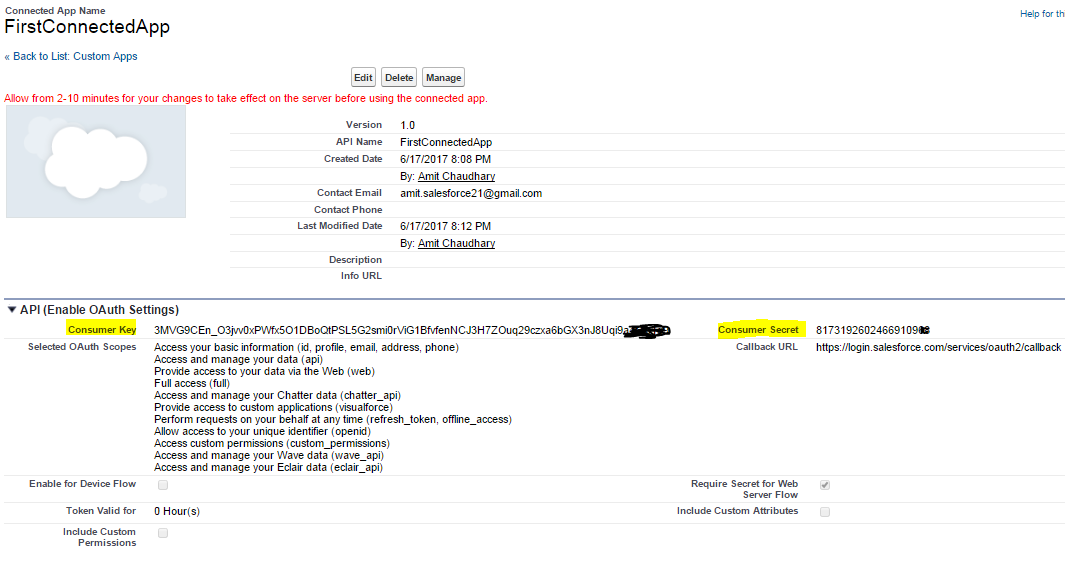
Force.com platform support powerful web services API for interaction with external app and salesforce.com . For secured interaction with third party app, Salesforce enforces authentication process.
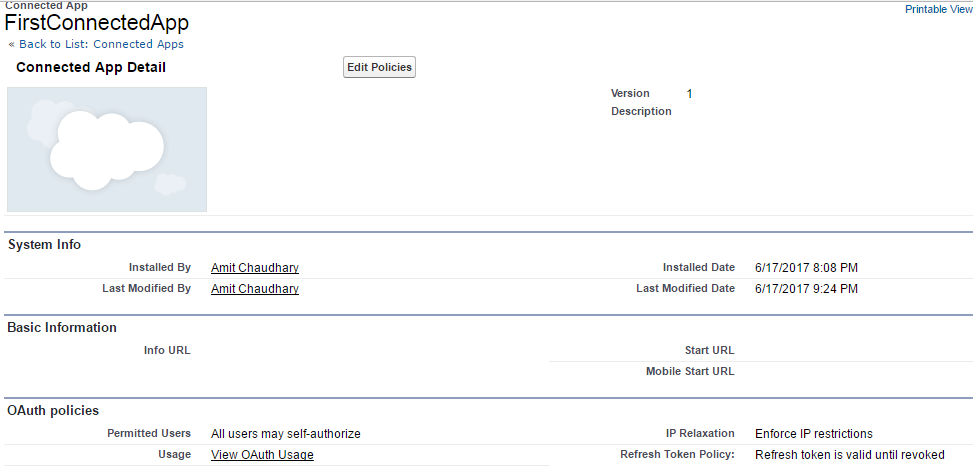
After entering credentials and attempting to login to Salesforce, the API user is denied access to the application and is typically accompanied by a Login History Status of "Failed: Not approved for access".
Solution:-
Update OAuth policies and set Permitted Users to "All users may self-authorize".
Step 1) Open the connected App the click on Manage button.
Farmington Hill Salesforce Developer group / "Salesforce Apex Hours" organized another successful Online session/event on Saturday, JUNE 10, 2017 , focusing on "Salesforce DX".
"Salesforce Apex Hours" is a recurring event to talk about
salesforce ! This time we planned one online session on "Salesforce DX" with Jitendra Zaa (Salesforce MVP). Agenda :- Salesforce DX provides you with an integrated, end-to-end lifecycle designed for high-performance agile development. In this session we would go through hands on and see how Salesforce DX can be used to create scratch org, automated testing and data load purpose. We would discuss CLI option as well Force.com IDE
Introduction to Salesforce DX
Creating Scratch Org
Deploying metadata to Scratch Org
Creating Skeleton Workspace
Running Test classes
Getting Help
Using Force.com IDE with Salesforce DX
Q&A
Speaker : -Jitendra Zaa (Salesforce MVP) ,Amit Chaudhary Date :- Saturday, JUNE 10, 2017 11:00 AM EST Venue/Link :- Online.
1) You can't use the web-Service keyword to define an interface,
2) System defined enums cannot be used in Web-service methods
3) You can't use the webService keyword in a trigger
4) All classes that contain methods defined with the webService keyword must be declared as global.
5) Methods defined with the webService keyword are inherently global. These methods can be used by any Apex code that has access to the class. You can consider the webService keyword as a type of access modifier that enables more access than global
6) You should define any method that uses the web-Service keyword as static
7) You can't deprecate webService methods or variables in managed package code
8) Methods defined with the webService keyword cannot take the following elements as parameters. While these elements can be used within the method, they also cannot be marked as return values.
Maps
Sets
Pattern objects
Matcher objects
Exception objects
9) You can use the web-service modifier to define top level, outer class methods and variables, and member variables of an inner class. It can't be used on a class itself, or an interface or interface methods or variables.
NOTE:- Invoking a custom webService method always uses system context. Consequently, the current user's credentials are not used, and any user who has access to these methods can use their full power, regardless of permissions, field-level security, or sharing rules. Developers who expose methods with the webService keyword should therefore take care that they are not inadvertently exposing any sensitive data
Apex class methods that are exposed through the API with the webService keyword don't enforce object permissions and field-level security by default
globalclass MyWebService {
webService static Id makeContact(String lastName, Account a) {
Contact c = new Contact(lastName = 'Weissman', AccountId = a.Id);
insert c;
return c.id;
}
}
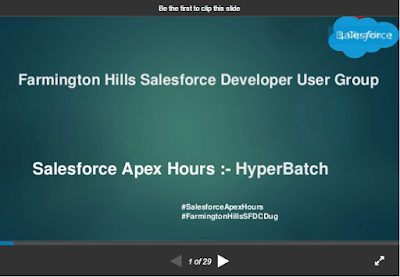
Farmington Hill Salesforce Developer group / Salesforce Apex Hours organized another successful Online session/event on Saturday, MAY 13, 2017 , focusing on "Hyper Batch".
First of All I would like to thank to"Daniel Peter"for great session and demo on "Hyper Batch". And Thank you much to all Farmington Hill Salesforce Developer Group Member for joining us online. This time more then 120+ person joined us.
Agenda :- • Whats is HyperBatch • Difference between Old Traditional Apex Batch job and HyperBatch • Demo • FAQ
Speaker:- Daniel Peter (Salesforce MVP) Date:- Saturday, MAY 13, 2017 11:00 AM EST Venue/Link:- Online