Tuesday, 2 January 2018

Salesforce DX | How to Setup Salesforce DX | Creating Scratch Org

Get Started With Salesforce DX
In this post we will talk about how to setup Salesforce DX, How to enable the Dev Hub and create Scratch org. Lets understand what is scratch org ? A scratch org is a dedicated short-term Salesforce environment for development and configuration. Scratch orgs drive developer productivity and collaboration during the development process, and facilitate continuous integration. If you want to learn about SalesforceDx for non-scratch org then please check this post.

Lets get Started with SalesforceDX (SFDX.)

Step 1) Enable Dev Hub


Enable Dev Hub in your org so you can create and manage scratch orgs. You can enable the Dev Hub in any Developer Org, Production and developer Hub Trail Account. Follow below setup to enable dev hub.
  1. Login to your Developer Edition, production or trail org. Then click on Setup.
  2. Search Dev hub in Quick Find and click on Dev Hub.
  3. Then Click on enable button.


Step 2) Install Command Line Interface

    1) Download the CLI from below link and install that.
    2)  In a command window, enter sfdx and validate SFDX is insalled properly.


Step 3) Setup Dev Hub and Set Alias


    1) Login on Dev Hub :  Execute below command in command prompt to authorize the Dev hub with web login flow 

    sfdx force:auth:web:login -d -a DEVHUB
       -d to set Default org
       -a to set alias for the org
 
DEVHUB login

    Then it will take you to wed browser to login. Then login with your salesforce Dx Account. After login you will get below screen.


        2) Open your DevHub Org: After that you can login with alise Name DEVHUB any time with below command.

    sfdx force:org:open -u DEVHUB

        3) Login in Sandbox: If you want to login in sandbox you can try below command as well

    sfdx force:auth:web:login -r https://test.salesforce.com -a FullSandbox

        4) View All org: if you want to see all org then try below command
    sfdx force:org:list


Step 4) Create Scratch Org:-


    1) Create Project : Before creating s scratch org we need to create one SFDX base project. Please execute below command to create DX project.

   sfdx force:project:create -n c:\Amit_Salesforce_DX\MyProject

above command will create a folder like below

SFDX Folder Structure

Lets understand the use of each files :-

File
Detail
sfdx-project.json
Configures the source that this local project manages
config/project-scratch-def.json
Determines the configuration of a scratch org, including which features and preferences define its org shape
force-app
This folder will contain project


    2) Create Scratch Org : Go to project location then create scratch org with below command

    sfdx force:org:create -s -f config/project-scratch-def.json -a MyFirstScratch

    -s used for scratch org
    -f path the project scratch org confirgutaion File.
    -a alias

    Once Scratch org will ready then you can also see same org in salesforce as well.


   Now your Scratch org is ready. Start your Development in scratch org.

    3) View Scratch Org Configuration: Exeucte below command to see newly created scratch org.

     sfdx force:org:display -u MyFirstScratch

    4) Open Scratch Org Configuration: Exeucte below command to see newly created scratch org.

     sfdx force:org:open -u MyFirstScratch
    
     5) Change password for Scratch org: if you want to change the password for scratch org. Please check this post.


If you want learn about how to upload the data in Scratch org with Salesforce DX. Please check this post.


If you you looking for Video and PPT. Check here in Salesforce Apex Hours.

Please share your feedback and comment


Thanks,
Amit Chaudhary
@amit_sfdc

Monday, 25 December 2017

Salesforce Apex Hours : 2017


Hello Everyone !

"Salesforce Apex Hours" is a recurring event to talk about salesforce ! Some times we'd like to meet on one location and some time online. We are happy that we completed 7 successful Online event in 2017 on below topic

1) MicroServices.
2) Einstein Intent
3) Winter 18
4) Salesforce DX
5) Hyper Batch Job
6) Lightning Component Framwork
7) Live Agent


I want to say thanks to our speaker to make this Online event successful. If you missed above event still you check our online video and PPT. Here is Summery of all Event

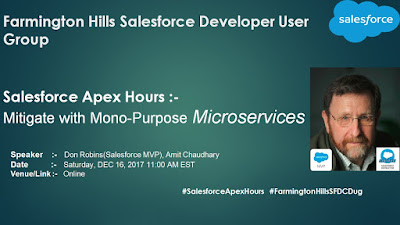
1) MicroServices

In that session Don Robins took the session on "Mitigate with Mono-Purpose Microservices".

The flexibility built into the Salesforce platform allows developers to build incredible enterprise and mobile applications using a No Code, Low Code or High Code approach. Developers can build most of their apps with declarative tools, and code their way to success with Apex, Visualforce and Lightning Components when needed. But what’s a developer to do when the platform tools just don’t let them do what they need? In this presentation we’ll explore how to mitigate such requirements by integrating Salesforce with external Heroku micro-services to provide extended solutions that typically can't be met with Force.com capabilities.

Agenda :-
  • Microservices –WHAT, WHY, HOW
  • My Microservice – PDF Parser a practical mitigation use case
  • Sample Microservice demo and code walk thru
  • Take-aways and Links 
 http://amitsalesforce.blogspot.com/2017/12/MicroservicesSalesforce.html


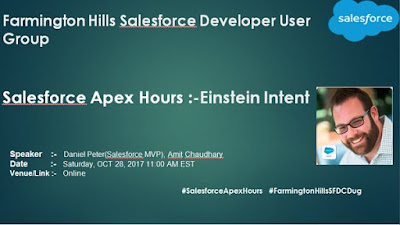
2) Einstein Intent

In that session Daniel Peter (Salesforce MVP) took the session on "Einstein Intent".

Agenda :-
  • Introduction to Einstein Intent
  • Demo
  • FAQ
http://amitsalesforce.blogspot.com/2017/10/einstein-intent.html


3) Winter 18

In that session Jitendra Zaa (Salesforce MVP) took the session on "Winter 18 for Developer".

Agenda :-
  • What’s new in Winter 18 for Developer
  • Enhancements in Flow
  • Other platform improvements 

http://amitsalesforce.blogspot.com/2017/10/Winter18Salesforce.html

4) Salesforce DX

In that session Jitendra Zaa (Salesforce MVP) took the session on "Salesforce DX".

Salesforce DX provides you with an integrated, end-to-end lifecycle designed for high-performance agile development. In this session we would go through hands on and see how Salesforce DX can be used to create scratch org, automated testing and data load purpose. We would discuss CLI option as well Force.com IDE

Agenda :-
  • Introduction to Salesforce DX
  • Creating Scratch Org
  • Deploying metadata to Scratch Org
  • Creating Skeleton Workspace
  • Running Test classes
  • Getting Help
  • Using Force.com IDE with Salesforce DX
  • Q&A 

http://amitsalesforce.blogspot.com/2017/06/salesforce-apex-hours-salesforce-dx.html

5) Hyper Batch Job

In that session Daniel Peter (Salesforce MVP) took the session on "Hyper Batch Job".

Agenda :- 
  • Whats is HyperBatch
  • Difference between Old Traditional Apex Batch job and HyperBatch
  • Demo
  • FAQ  

http://amitsalesforce.blogspot.com/2017/05/salesforce-apex-hours-hyperbatch.html

6) Lightning Component Framwork

In that session "Mohith Shrivastava" took the session on "Lightning Component Framework".

Agenda :-
  • Introduction To Lightning Components
  • Difference between Lightning Components and Visualforce
  • Thinking in terms of Component Model
  • Basics of Lightning - Inside Bundle
  • Events - Discuss Application and Component Events

http://amitsalesforce.blogspot.com/2017/04/salesforce-apex-hours-lightning.html


7) Live Agent

In that session Amit Chaudhary took the session on "Live Agent".

Agenda of Session was :-
  • What is Live Agent
  • Pre and Post Chat Form
  • Demo
  • FAQ

http://amitsalesforce.blogspot.com/2017/02/salesforce-apex-hours-live-agent.html


Please follow us on below pages/link for future session :-
Facebook Page :-  https://www.facebook.com/FarmingtonHillsSfdcdug/
Meetup Link      :-  http://www.meetup.com/Farmington-Hills-Salesforce-Developer-Meetup/ 

Twitter Tag        :-  #FarmingtonHillsSFDCdug  #SalesforceApexHours
YouTube            :-  https://www.youtube.com/channel/UChTdRj6YfwqhR_WEFepkcJw/videos


Please email me if you want to become a speaker in our Online event.

Thanks,
Amit Chaudhary
@amit_sfdc
amit.salesforce21@gmail.com


Saturday, 16 December 2017

Salesforce Apex Hours:-Mitigate with Mono-Purpose Microservices


Farmington Hill Salesforce Developer group / "Salesforce Apex Hours" organized another successful Online session/event on Sat, DEC 16, 2017 , focusing on "Mitigate with Mono-Purpose Microservices".

"Salesforce Apex Hours" is a recurring event to talk about salesforce ! Some times we'd like to meet on one location and some time online. This time we are planning one online session on "Mitigate with Mono-Purpose Microservices" job with Don Robins (Salesforce MVP).  

Agenda :- 
1) Microservices –WHAT, WHY, HOW
2) My Microservice – PDF Parser a practical mitigation use case
3) Sample Microservice demo and code walk thru
4) Take-aways and Links


The flexibility built into the Salesforce platform allows developers to build incredible enterprise and mobile applications using a No Code, Low Code or High Code approach. Developers can build most of their apps with declarative tools, and code their way to success with Apex, Visualforce and Lightning Components when needed. But what’s a developer to do when the platform tools just don’t let them do what they need? In this presentation we’ll explore how to mitigate such requirements by integrating Salesforce with external Heroku micro-services to provide extended solutions that typically can't be met with Force.com capabilities.

 
Here is Session PPT

https://www.slideshare.net/AmitChaudhary112/salesforce-apex-hoursmitigate-with-monopurpose-microservices/AmitChaudhary112/salesforce-apex-hoursmitigate-with-monopurpose-microservices

Here is Session Recording


Thanks
Amit Chaudhary @amit_sfdc
Email :- amit.salesforce21@gmail.com